

Creating an account is quick, secure, and designed to get you started with book swapping nearby in just a few taps. Pasaj currently supports sign-up using Apple or Google accounts only to ensure a smooth and trusted experience for all users.
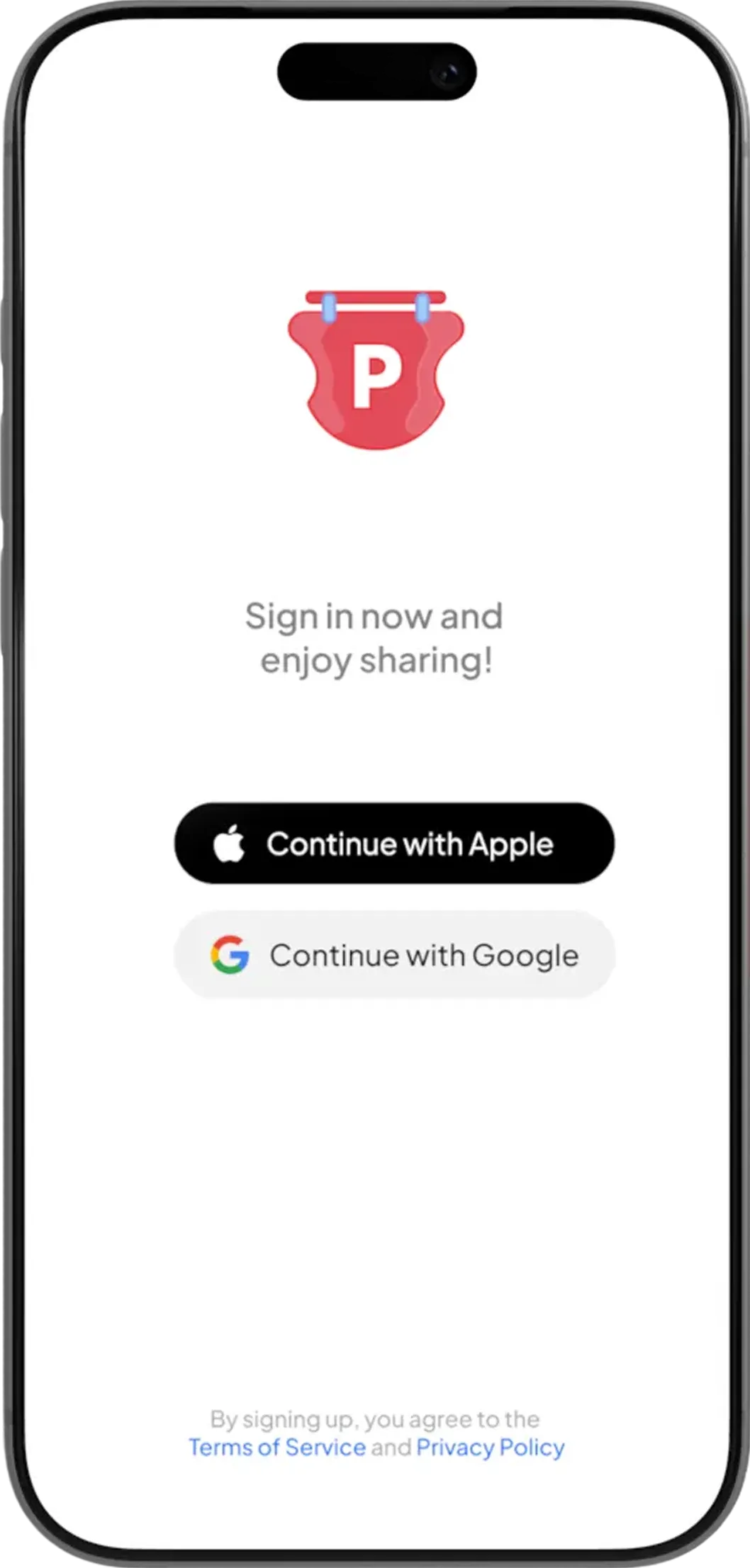
Supported Sign-Up Methods
You can sign up for Pasaj using one of the following options:

 Sign in with Apple
 Sign in with Google
No additional passwords or forms are required.
How to Sign Up Step by Step
1. Open the Pasaj App
Download and open the Pasaj app on your iOS or Android device.
2. Choose a Sign-Up Method
On the welcome screen, select one of the available options:
- Continue with Apple
- Continue with Google
3. Account Creation Details
If You Sign Up with Google, Pasaj will automatically ⤵️
- Fetch your profile avatar
- Fetch your first name
- Fetch your family name
This information is used to create your Pasaj profile instantly so you can start to find books nearby and join the local book exchange community.
If You Sign Up with Apple, Pasaj will:
- Create a default avatar using your initials
- Fetch your first name
- Fetch your family name
Apple may give you the option to hide your email address. This does not affect your ability to use Pasaj or participate in book swaps nearby.
4. Profile Visibility & Privacy
Your privacy is important to us.
- ✅ Only your first name is visible publicly within the app
- 🔒 Your family name is never shown to other users
- 🧑 Your avatar and name help others recognize you during a book swap or book exchange nearby
Updating Your Profile Information
You can update your profile details at any time.
Read more at Update Display Name and Avatar .
Changes are saved instantly unless they don't comply with the rules.
Need Help?
If you need further assistance, have additional questions, or want to share feedback or a product idea, please join us in live chat right now by tapping the button in the bottom right corner of this page.
Frequently Asked Questions
How do I create an account on Pasaj?
To create an account, download and open the Pasaj app on your iOS or Android device, then choose either Continue with Apple or Continue with Google on the welcome screen. No additional passwords or forms are required.
What sign-up methods are supported on Pasaj?
Pasaj supports Sign in with Apple and Sign in with Google only. These are the only available account creation methods.
Can I sign up with email and password instead of Apple or Google?
No. Pasaj does not support email and password registration. You must use either your Apple or Google account to sign up.
Is signing up for Pasaj free?
The documentation describes the sign-up process but does not mention any cost. You can create an account using Apple or Google in just a few taps.
What information does Pasaj collect when I sign up with Google?
If you sign up with Google, Pasaj automatically fetches your profile avatar, first name, and family name to create your profile instantly.
What information does Pasaj use when I sign up with Apple?
If you sign up with Apple, Pasaj creates a default avatar using your initials and fetches your first name and family name.
Why does Pasaj create a default avatar when I use Apple sign-in?
When signing up with Apple, Pasaj generates a default avatar using your initials instead of fetching a profile image.
Can I hide my email address when signing up with Apple?
Yes. Apple may give you the option to hide your email address. This does not affect your ability to use Pasaj or participate in book swaps nearby.
Will hiding my email with Apple prevent me from swapping books?
No. Choosing to hide your email address through Apple does not affect your ability to use Pasaj or join the local book exchange community.
What personal information is visible to other users?
Only your first name is visible publicly within the app. Your family name is never shown to other users.
Is my last name displayed on my Pasaj profile?
No. Your family name is never shown to other users.
Why does Pasaj use my first name and avatar?
Your first name and avatar help other users recognize you during a book swap or book exchange nearby.
How long does it take to set up a Pasaj account?
Account creation is quick and designed to get you started with book swapping nearby in just a few taps.
Do I need to create a separate password for Pasaj?
No. Since Pasaj uses Apple or Google authentication, no additional passwords or forms are required.
What should I do if I experience issues during sign-up?
If you encounter any issues while signing up, visit other pages in Pasaj Docs or contact support via the provided support email.
Can I update my display name or avatar after signing up?
Yes. You can update your profile details at any time by following the instructions in Update Display Name and Avatar.
Are profile changes saved immediately?
Yes. Changes to your profile are saved instantly unless they do not comply with the rules.
Does Pasaj support sign-up on both iOS and Android?
Yes. You can download and open the Pasaj app on your iOS or Android device to begin the sign-up process.
Why does Pasaj only allow Apple and Google sign-in?
Pasaj currently supports Apple and Google sign-in only to ensure a smooth and trusted experience for all users.
What happens immediately after my account is created?
Your profile is created automatically using the fetched information, allowing you to start finding books nearby and participate in the local book exchange community right away.